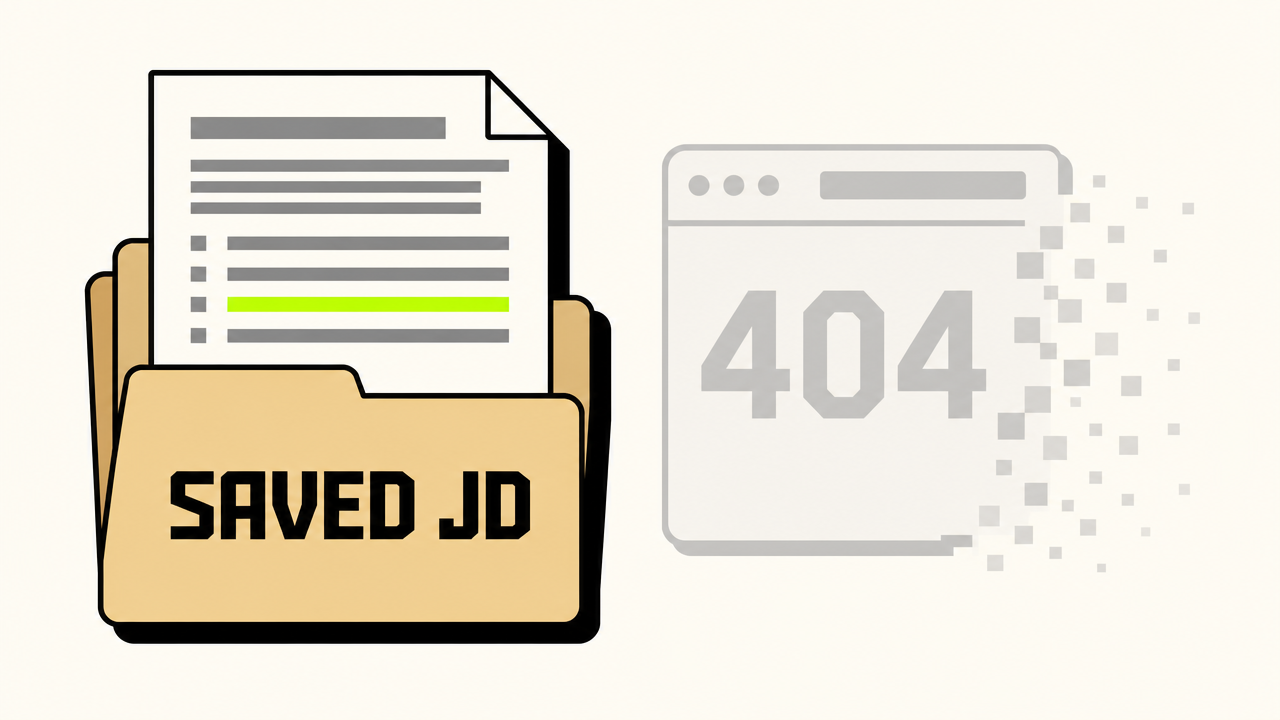
You apply for a role. Two weeks later, the recruiter emails you to schedule a first-round interview. You click back to the job posting to re-read it — and it's gone. 404. Or worse, it's still up but the salary range has been quietly stripped out. This happens constantly, and it costs candidates interviews and money. Save the job description the moment you apply. Not later — the moment you apply.
TL;DR
- Companies pull postings once the shortlist is set — often within 2–3 weeks.
- No JD means no interview cheat sheet: keywords, responsibilities, "must-haves," and tech stack all gone.
- No posted salary range means losing your strongest, most defensible negotiation anchor.
- Save the full page (text + screenshot + URL) every single time you apply. Takes 20 seconds.
Why Companies Take Postings Down
There's no conspiracy here — just operational reality. Once a recruiter has a strong shortlist, leaving the posting live invites more applications they don't want to process. So the req gets closed in the ATS, which pulls it from Greenhouse / Lever / Workday / LinkedIn automatically. Other times the role gets re-scoped mid-interview-cycle and the original JD is replaced with a new one. And in the US, pay-transparency laws (CO, NY, CA, WA, IL, and growing) sometimes get sidestepped by quietly removing the range after the first wave of applicants is captured.
The result is the same: the document you most need during interview prep — the one the company itself wrote about what they want — has evaporated.
Reason #1: The JD Is Your Interview Prep Cheat Sheet
The job description tells you, in the company's own words, what they're going to ask you about. Every responsibility listed is a likely behavioral question. Every "required" skill is a likely technical question. Every "nice to have" is a tiebreaker you can volunteer to stand out.
Concretely, before any interview you should pull out of the JD:
- The top 5–8 responsibilities — prep one strong STAR-format story per item.
- The required tools and tech stack — be ready to talk about each at a working level.
- The "you'll partner with..." section — that's your map of who the cross-functional stakeholders are. Bring it up.
- The "about the team" paragraph — almost always reveals the team's current pain point or growth phase. Reference it.
- The exact phrasing of the role's mission — mirror it back in your "Why are you interested in this role?" answer.
You cannot reconstruct any of this from memory. And if the recruiter has moved you to a panel interview three weeks later, the JD is long gone.
Reason #2: The Posted Salary Range Is Your Negotiation Anchor
When pay-transparency laws forced companies to post ranges, they handed candidates a gift: a number the company has already publicly committed to being willing to pay. That number is the strongest, most defensible anchor you will ever have in a negotiation. You don't have to justify it — the company published it.
The conversation you want to be able to have:
"The posted range for this role was $145K–$175K. Based on the scope we discussed in the interviews — particularly the cross-functional ownership of X and the team-lead component of Y — I'm targeting the top of that band, $170K base."
That sentence is almost impossible to argue with. But it only works if you can quote the range. If the posting is gone and you didn't save it, you're back to negotiating from market data, Levels.fyi screenshots, or — worst case — whatever number the recruiter floats first. All of those are weaker positions.
Reason #3: If You Get the Offer, the JD Is Your Roadmap — and Your HR Paper Trail
The JD doesn't stop being useful the day you sign. It becomes one of the most valuable documents in your first year on the job, for two very different reasons.
It's your roadmap to success. The responsibilities listed in the posting are, almost word-for-word, what your manager is going to evaluate you against at your first performance review. Use the JD to build your 30/60/90-day plan: each bullet becomes a focus area, each "you'll own X" becomes a deliverable, and each "partner with Y" becomes a relationship to build in week one. Candidates who walk in already aligned to the JD ramp visibly faster than those who don't.
It's HR documentation you may need later. The JD is the closest thing you have to a written contract of what the role actually is. That matters if:
- Your scope quietly creeps and you need to justify a title change, a promotion, or a comp adjustment ("here's what I was hired to do, here's what I'm now doing").
- You're reorged into a role that looks nothing like what you accepted, and you need to push back or negotiate severance.
- You're laid off and applying for unemployment, or pursuing a wrongful-termination or misclassification claim — the original JD is evidence of the agreed-upon role.
- You're filing for an immigration or visa renewal (H-1B, green card, TN, etc.) where the petition has to match the role you were hired into.
- You leave and want to accurately describe the role on your next resume two years later, when memory has faded.
Once you've signed, the company has zero incentive to hand you a copy of the original posting — and in most cases they can't, because they took it down. The version you saved before applying is the only version that still exists.
How to Save a Job Description in 20 Seconds
Pick a method and do it every time, without exception:
- Full-page screenshot. On Mac,
Cmd+Shift+4then space. On Windows, use the Snipping Tool or a browser extension like GoFullPage. Capture the entire posting in one image — including the salary range. - Copy the full text into a doc. Create a Google Doc or Notion page titled with the company + role + date applied. Paste the entire JD verbatim. Paste the URL at the top.
- Save the PDF. Browser → Print → "Save as PDF." This preserves layout and is timestamped automatically.
- Use an archive service. Paste the URL into archive.org or archive.ph — gives you a permanent, timestamped URL you can cite.
Belt-and-suspenders is fine. Doing at least #1 and #2 takes well under a minute, and it only has to save your bacon once to be worth it forever.
Build a One-Folder System
Create a single folder — Google Drive, Notion, or a local directory — called "Applications 2026" with one subfolder per role. Inside each, drop:
- The JD screenshot / PDF / text doc
- The exact resume version you submitted (so you remember what they saw)
- The cover letter, if you sent one
- The recruiter's name and email once they reach out
- Your interview notes as the loop progresses
When the offer call comes and the recruiter asks "what are you looking for?", you open one folder and have everything: the original range, the responsibilities they tested you on, and the resume that got you in the door. That's a wildly stronger position than scrambling through email at 4:55pm on a Friday.
What This Pairs With
Saving the JD also gives you a clean record for tailoring future applications. When you find a similar role at another company, you can feed the saved JD into an ATS-tailored resume tool and produce a focused resume in about a minute — instead of starting from a blank page. And if you're early in the funnel, pair this habit with the speed advice in our post on why applying within hours of a posting doubles your odds.
Saved the JD? Put it to work — free.
Paste that saved job description with your resume and get a free Job Match Score in seconds — no account, no card. The ATS-passing tailored rewrite is $5 if you want it.
Get My Free Match Score →The Bottom Line
Job postings are not permanent. They are temporary marketing assets that get pulled the moment they've served their purpose for the company. The candidate who saved the JD has an interview prep document and a salary anchor. The candidate who didn't is rebuilding from memory and negotiating from a weaker spot.
It takes 20 seconds. Do it every time.